Scan or review
Open the tool you need and see the available cleanup or organization options.
Cleaner · Organizer · Password Vault
Mobile Threat Defense brings everyday cleanup tools, duplicate review, photo compression, password generation, and secure password saving into one simple utility.
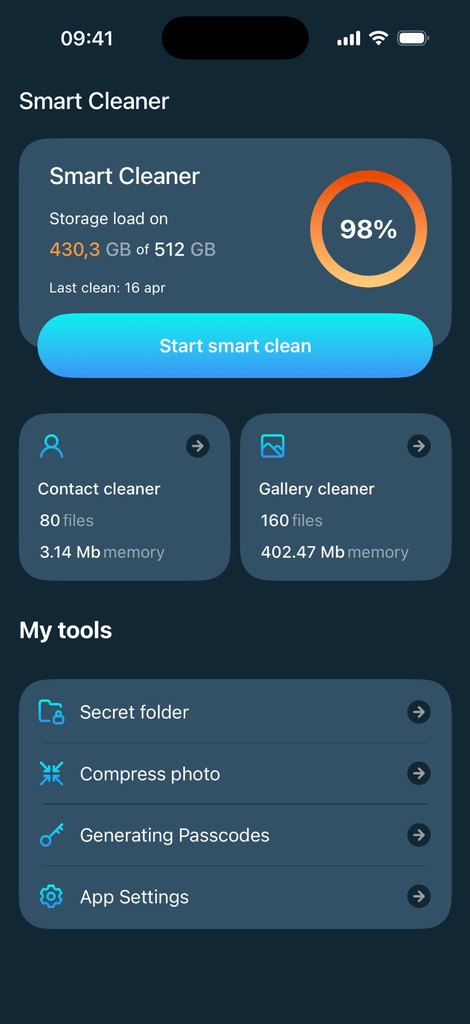
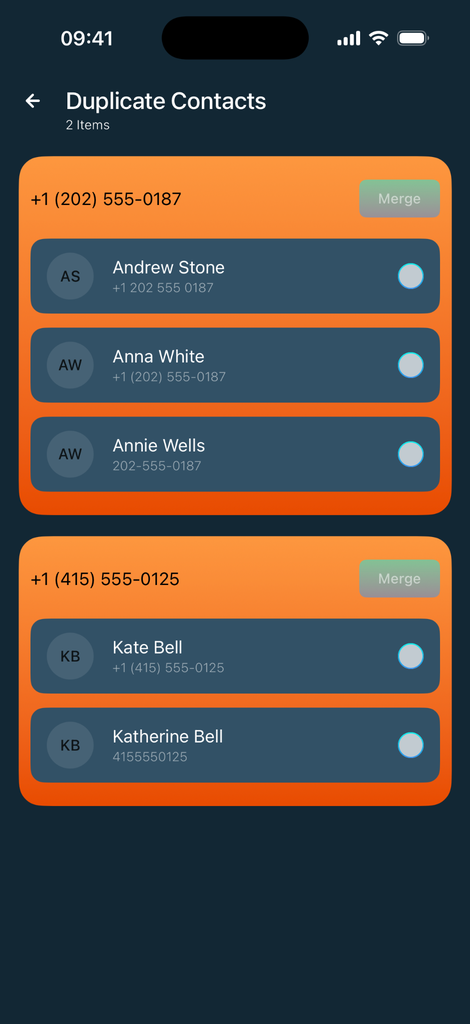
Review storage, duplicate contacts, and gallery items before making changes. You decide what stays and what goes.
Review space usage and cleanup candidates.
Find repeated entries and compare them first.
Review gallery items and compress photos.
Create strong passwords and keep saved credentials organized.
Smart cleanup
The app helps surface storage information and content that may be worth reviewing. Instead of hiding the process, Mobile Threat Defense keeps the cleanup flow visible so you can check items before taking action.
Duplicate contacts, gallery items, and storage-heavy content can be handled from focused tools rather than one large, confusing cleanup screen.
Password tools
Use the built-in generator when you need a new password for a website or account. Generated credentials can be saved inside the app's password vault, giving you a convenient place to organize and retrieve them later.
These tools are designed to complement the cleanup features, making the app useful for both routine device maintenance and everyday account organization.
Simple by design
Open the tool you need and see the available cleanup or organization options.
Compare duplicates, review media, or confirm the generated password before continuing.
You stay in control of what is removed, merged, compressed, generated, or saved.
Support
If something is unclear, a feature does not work as expected, or you need help with a subscription or purchase-related question, contact our support team. Include a short description of the issue and, when useful, your iOS version and the steps that led to the problem.